
Download SecuStar – Password Manager, Secure Password Storage, Master Password, Multi-User, Cloud Sync, Malware Protection, Privacy, Data Security, Digital Safety, Online Protection
Overview
SecuStar is a dedicated mobile application designed to simplify and secure digital identity management through robust password storage and access control. Built for users who manage multiple online accounts, SecuStar enables individuals and teams to store login credentials in a single, encrypted vault protected by a master password. The app addresses the growing challenge of password fatigue and security risks associated with weak or reused credentials. By centralizing access under a single master key, SecuStar reduces the cognitive load of remembering numerous passwords while enhancing overall account security.
Target users include individuals seeking improved digital safety, families managing shared devices, and professionals requiring secure, private access to sensitive information. The application supports multi-user environments, allowing independent password vaults on the same device without cross-access, which is particularly useful in shared home or office settings. SecuStar also facilitates seamless access across devices through cloud synchronization, ensuring that users can retrieve their credentials regardless of location.
Developed by SecuStar, the app has been available since October 22, 2013, reflecting a long-standing commitment to data security. Its presence in the productivity category underscores its role as a utility tool in the modern digital ecosystem. While specific developer background details were not provided, the app’s focus on privacy, advanced encryption, and malware protection highlights its position as a trusted tool for maintaining digital safety in an increasingly vulnerable online landscape.
Key Features & Functionality
- Single Master Password: Users need to remember only one master password to unlock their entire password vault. This eliminates the need for memorizing dozens of complex credentials and reduces the risk of password loss or reuse.
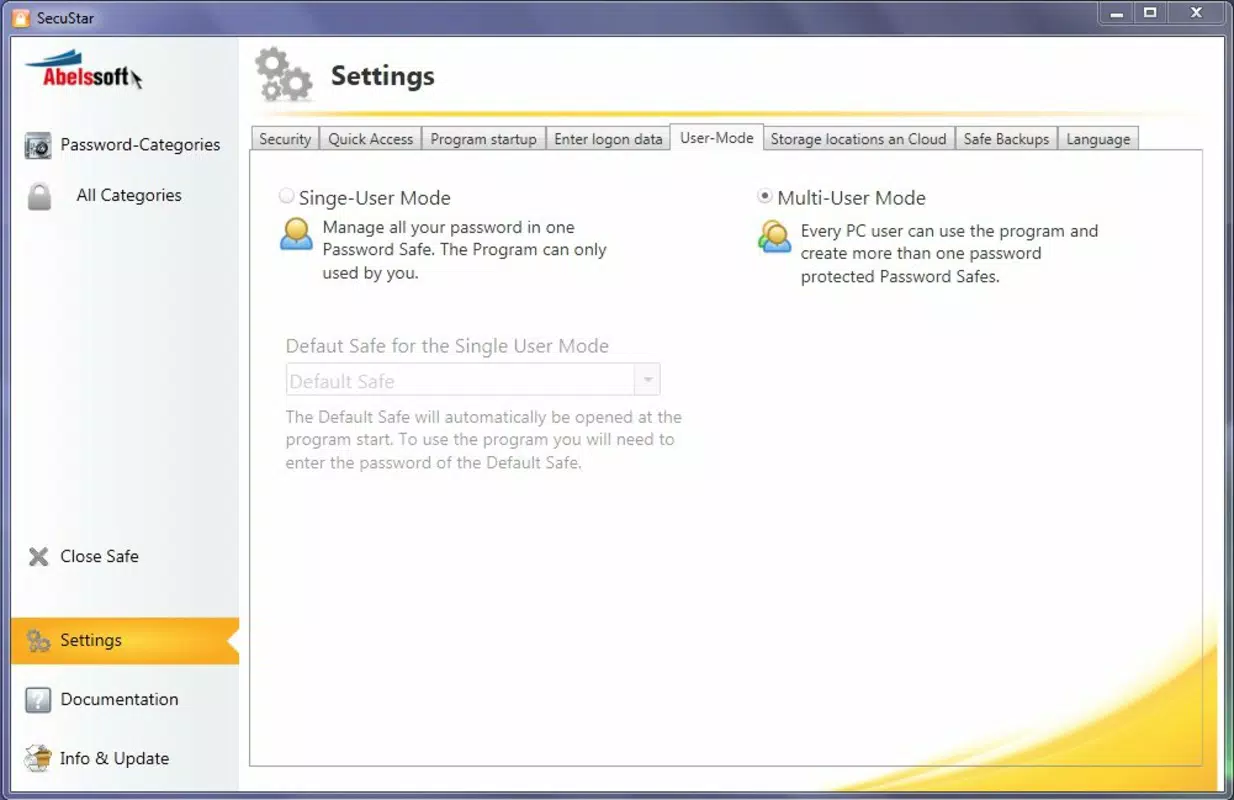
- Multi-User Support: The app allows multiple users to maintain separate, isolated password databases on the same device. Each user’s data remains private and inaccessible to others, making it suitable for family or team use.
- Cloud Synchronization: SecuStar enables synchronization of password data across multiple devices via the cloud. This ensures consistent access to credentials whether using a smartphone, tablet, or computer, without compromising security during transmission.
- Advanced Security Algorithm: The application uses a protection algorithm approved for safeguarding highly classified documents in the United States. This high-level encryption ensures that stored data remains protected against unauthorized access, even in the event of device theft or data breaches.
- Malware Protection: Beyond password storage, SecuStar actively analyzes web pages for potential malware and online threats. This feature provides real-time protection during browsing, helping users avoid phishing attempts and malicious websites.
For example, a remote worker can use SecuStar to securely store login details for work platforms, sync them across their devices, and benefit from automatic threat detection while accessing company portals. Similarly, a family member can store personal banking credentials under their private vault, ensuring no other user on the shared device can access them. These use cases demonstrate how SecuStar enhances both convenience and security in everyday digital workflows.
Interface, UX & Performance
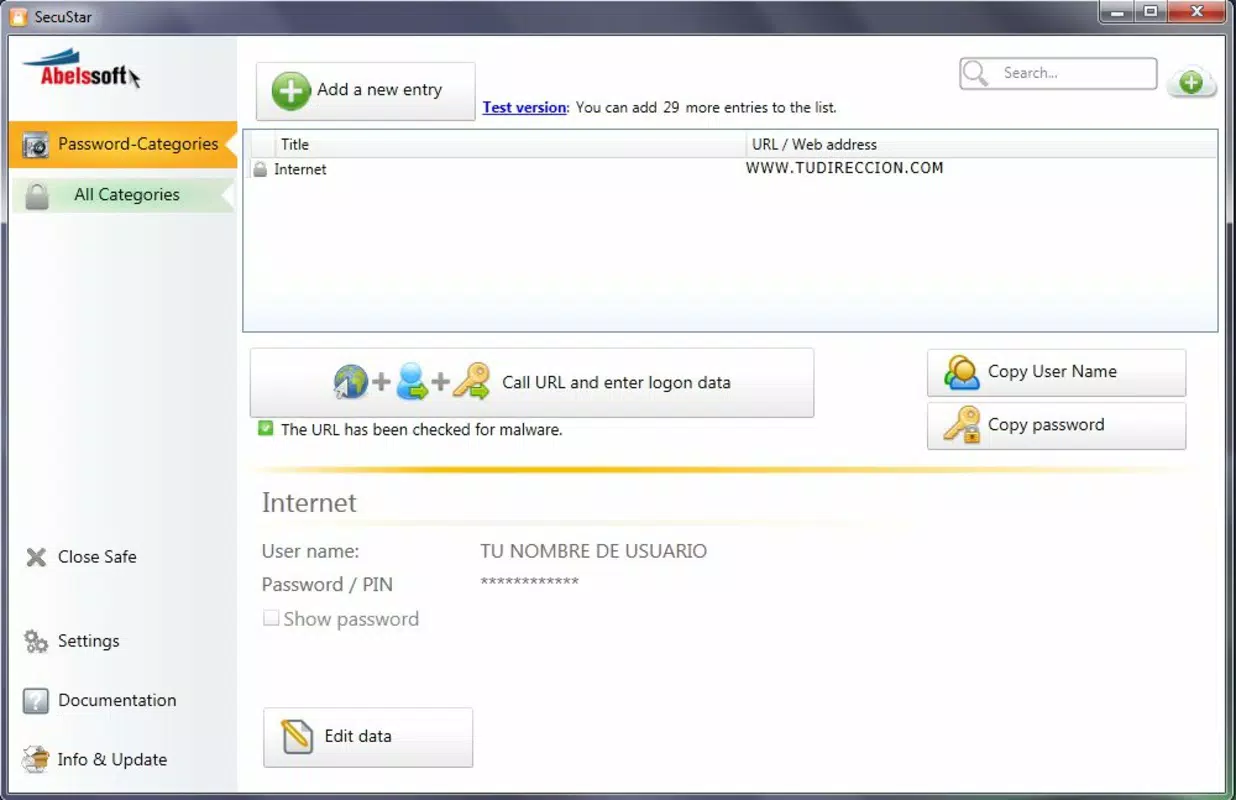
SecuStar presents a clean, functional interface focused on usability and security. The layout prioritizes essential actions—such as unlocking the vault, viewing stored credentials, and adding new entries—through intuitive navigation. Visual design elements are minimalistic, emphasizing clarity and reducing cognitive load during high-stakes tasks like password retrieval.
Navigation is linear and consistent, guiding users through logical steps without unnecessary complexity. The master password prompt appears immediately upon launch, reinforcing the app’s security-first philosophy. While the developer did not provide detailed performance metrics, the app’s 12.3 MB size suggests a lightweight footprint, which typically correlates with efficient resource usage and fast startup times.
Although the developer did not list formal performance metrics, the app’s long-standing presence and continued availability suggest stability across various Android device categories. Users can expect responsive interactions during routine tasks such as searching, editing, or syncing entries. The app maintains a balance between security features and usability, avoiding excessive friction while preserving data integrity. Responsiveness appears to be optimized for typical smartphone usage, though specific testing on low-end devices was not disclosed.
Platform Compatibility & Technical Requirements
SecuStar is available exclusively on the Android platform, making it accessible to users of Android smartphones and tablets. The current version is 3.4.2, with a file size of 12.3 MB, indicating a compact and efficient installation package. The app is offered at no cost, allowing broad access without financial barriers.
Specific operating system requirements were not listed by the developer. Therefore, compatibility with older or newer Android versions remains unspecified. The developer did not disclose minimum OS requirements or hardware specifications, which may affect installation on certain devices. Users are advised to ensure their device meets general Android standards for app installation, though no official constraints were provided.
Given the app’s release date in 2013, it has undergone multiple updates to maintain functionality and security. The continued support of the app suggests ongoing development, though the exact update frequency and release schedule were not detailed.
Pros and Cons
Pros
- Secure password vault protected by a single master password
- Supports multiple independent user profiles on one device
- Cloud synchronization enables access across multiple devices
- Uses a U.S.-approved encryption algorithm for high-level data protection
- Includes real-time malware and threat detection during browsing
- Free to download and use with no in-app purchases
Cons
- Minimum OS requirements were not disclosed
- Developer did not provide detailed performance or stability metrics
- Compatibility with older Android versions is unconfirmed
- No information on backup or recovery procedures
- Limited public documentation on update history or release notes
FAQ
Is SecuStar safe to use on Android devices?
Yes, SecuStar employs a U.S.-approved encryption algorithm and includes malware protection, making it a secure choice for storing sensitive information on Android.
Can I use SecuStar on multiple devices?
Yes, the app supports cloud synchronization, allowing access to your password vault across multiple devices, provided they are linked to the same account.
Does SecuStar require a paid subscription?
No, SecuStar is available for free. There are no in-app purchases or subscription fees reported.
How does the master password work?
The master password is the only key needed to unlock your entire password vault. It is never stored on servers and is used locally to decrypt your data.
Is my data protected from hackers?
Yes, SecuStar uses advanced encryption and malware detection to protect your data from unauthorized access and online threats.
Final Thoughts
SecuStar stands out as a reliable, privacy-focused password manager tailored for users who prioritize digital safety and secure data access. Its combination of a single master password, multi-user support, cloud sync, and advanced encryption makes it a strong contender in the productivity space. The inclusion of malware protection adds a valuable layer beyond typical password storage, positioning SecuStar as a holistic security tool.
While some technical details remain undisclosed, the app’s long-standing presence, free availability, and emphasis on privacy suggest a trustworthy solution for both personal and professional use. Families, remote workers, and security-conscious individuals will benefit most from its robust feature set and user-friendly design.
For anyone seeking a secure, efficient way to manage passwords without compromising on safety, SecuStar delivers a compelling value proposition. With its proven track record and comprehensive security features, it remains a relevant and effective tool in today’s digital environment.
Download SecuStar now


